
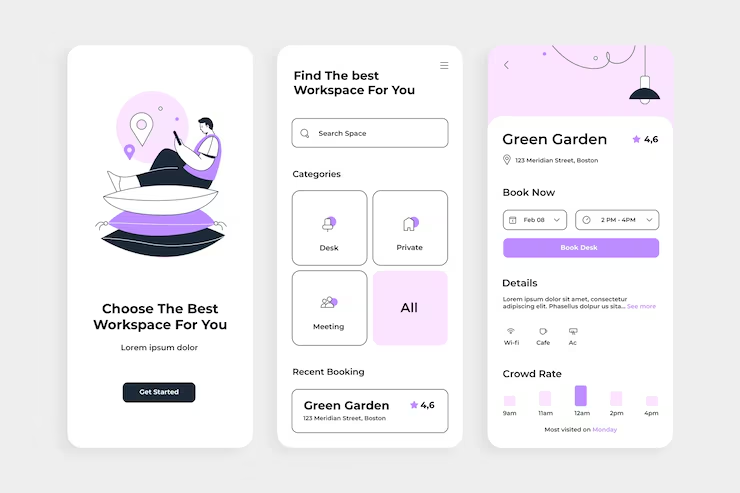
UI (User Interface) design is a critical aspect of digital product development, shaping how users interact with websites, apps, and software. Effective UI design goes beyond aesthetics, combining functionality, usability, and visual appeal to create seamless and engaging experiences. A well-designed interface improves user satisfaction, encourages engagement, and strengthens brand perception.
One of the core principles of UI design is consistency. Elements such as buttons, typography, icons, and color schemes should follow a coherent style throughout the interface. Consistency helps users navigate platforms intuitively, reducing confusion and enabling a smoother learning curve. Design systems and style guides are often employed to maintain this uniformity across pages or applications.
Simplicity and clarity are also fundamental. A clean, uncluttered layout allows users to focus on essential features and content. Prioritizing information hierarchy through spacing, alignment, and visual cues ensures that important elements are highlighted. Minimalist design does not mean sacrificing functionality; rather, it emphasizes clarity and efficiency in user interactions.
Accessibility is a crucial consideration in modern UI design. Interfaces should accommodate users with diverse abilities, incorporating readable fonts, sufficient contrast, keyboard navigation, and assistive technology support. Inclusive design practices ensure that digital products are usable by a broader audience, improving overall user satisfaction and compliance with accessibility standards.
Interactivity and feedback enhance user experience. Buttons, forms, and navigation elements should respond to user actions, providing visual or auditory cues to confirm engagement. Microinteractions subtle animations or transitions can guide users and make interactions more enjoyable without overwhelming the interface. These details contribute to a polished and professional user experience.
Responsive design ensures that interfaces function effectively across different devices and screen sizes. Mobile-first design, flexible grids, and adaptive layouts allow content to remain accessible and visually appealing, whether viewed on smartphones, tablets, or desktops. This flexibility is essential in an increasingly mobile-dependent world.
Finally, testing and iteration are key to successful UI design. Gathering user feedback, conducting usability tests, and analyzing behavior helps identify pain points and areas for improvement. Iterative design ensures that the interface evolves to meet user needs while maintaining aesthetic and functional standards.
In conclusion, mastering UI design involves balancing visual aesthetics, usability, accessibility, and interactivity. By following principles of consistency, clarity, inclusivity, responsiveness, and iterative improvement, designers can create interfaces that are both intuitive and visually compelling, enhancing the overall digital experience for users.